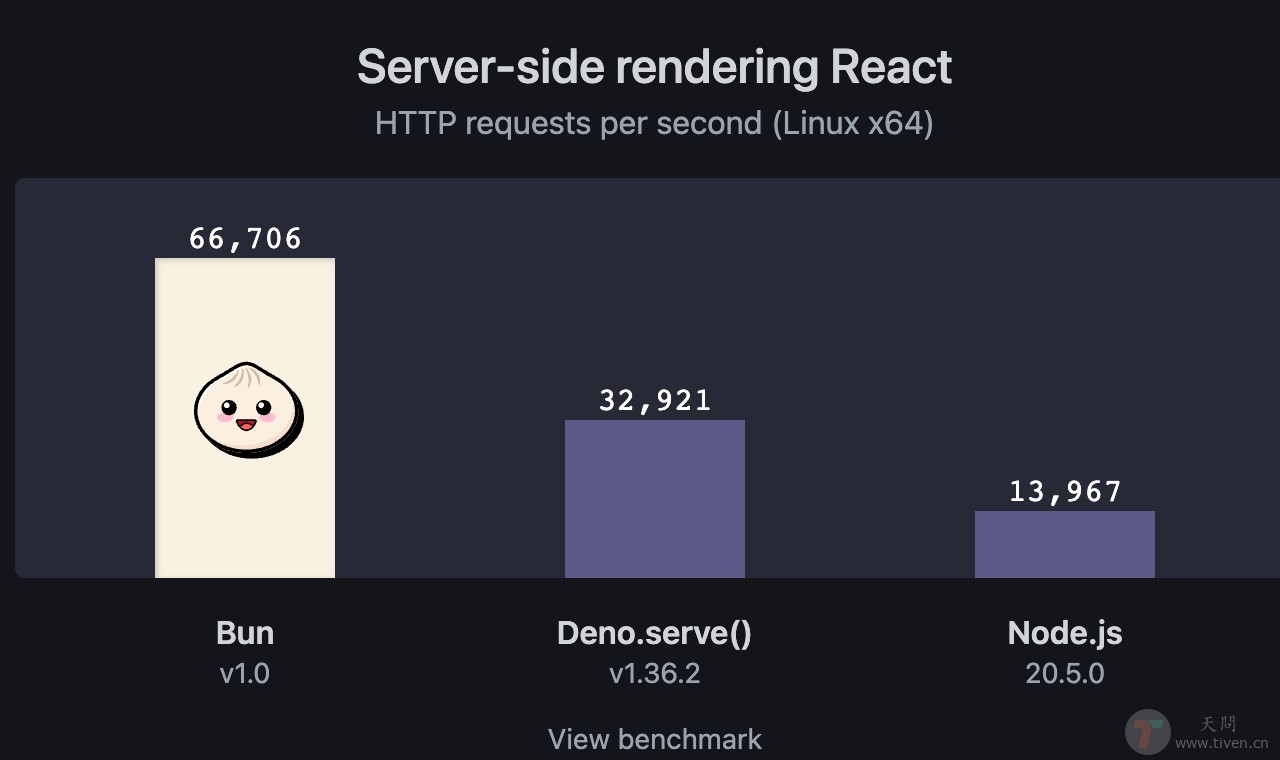
前端运行时 Bun 1.0 正式发布,如今,Bun 已经稳定并且适用于生产环境。Bun 不仅是一个专注性能与开发者体验的全新 JavaScript 运行时,还是一个快速的、全能的工具包,可用于运行、构建、测试和调试 JavaScript 和 TypeScript 代码,无论是单个文件还是完整的全栈应用。
Bun

一、安装 Bun

# npm npm install -g bun # brew brew tap oven-sh/bun brew install bun # curl curl -fsSL https://bun.sh/install | bash # docker docker pull oven/bun docker run --rm --init --ulimit memlock=-1:-1 oven/bun

二、Bun 优势

  • 相比 Node.js ,Bun 可以直接运行 .js、.ts、.cjs、.mjs、.jsx、.tsx 文件。
  • Bun 的速度非常快,启动速度比 Node.js 快 4 倍。当运行 TypeScript 文件时,这种差异会更加明显,因为在Node.js中运行TypeScript文件需要先进行转译才能运行。

三、使用 Bun 构建 http 服务

  1. 初始化项目
mkdir bun cd bun npm init -y
  1. 安装依赖
bun add figlet bun add -d @types/figlet bun-types
  1. 配置 tsconfig.json
{ "compilerOptions": { // add Bun type definitions "types": ["bun-types"], // enable latest features "lib": ["esnext"], "module": "esnext", "target": "esnext", // if TS 5.x+ // "moduleResolution": "bundler", "noEmit": true, "allowImportingTsExtensions": true, "moduleDetection": "force", // if TS 4.x or earlier "moduleResolution": "nodenext", "jsx": "react-jsx", // support JSX "allowJs": true, // allow importing `.js` from `.ts` "esModuleInterop": true, // allow default imports for CommonJS modules // best practices "strict": true, "forceConsistentCasingInFileNames": true, "skipLibCheck": true } }
  1. 创建 index.ts 文件
import { serve, file } from "bun"; import figlet from "figlet"; const server = serve({ port: 3000, fetch: async (request) =>{ // console.log(request.url) let files = file('./package.json') let json = await files.text() const body = figlet.textSync("Hello , Bun !"); return new Response(`${body} \n\n ${json}`); // console.log(json) }, }); console.log(`Listening on http://localhost:${server.port} ...`);
  1. 在 package.json 中添加 start 启动命令,配置热更新,监听文件变化
{ "scripts": { "start": "bun --hot index.ts" } }
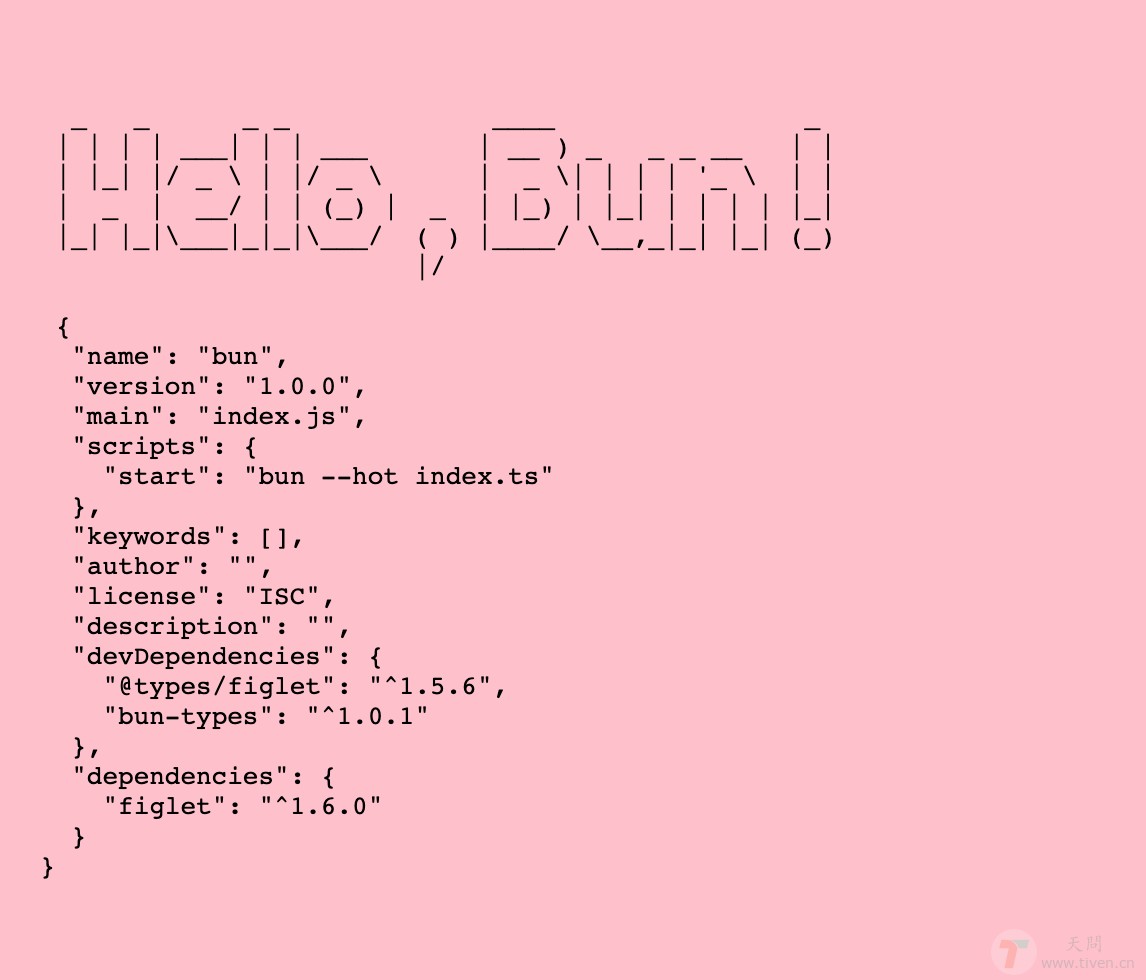
  1. bun start 启动服务,效果如下:

Bun Server


欢迎访问:天问博客