
在移动H5使用了 ECharts 开发可视化图表,遇到一个特殊需求:折线趋势图中需要默认展示最后一个坐标轴对应的数据,也就是主动触发 tooltip 的展示。
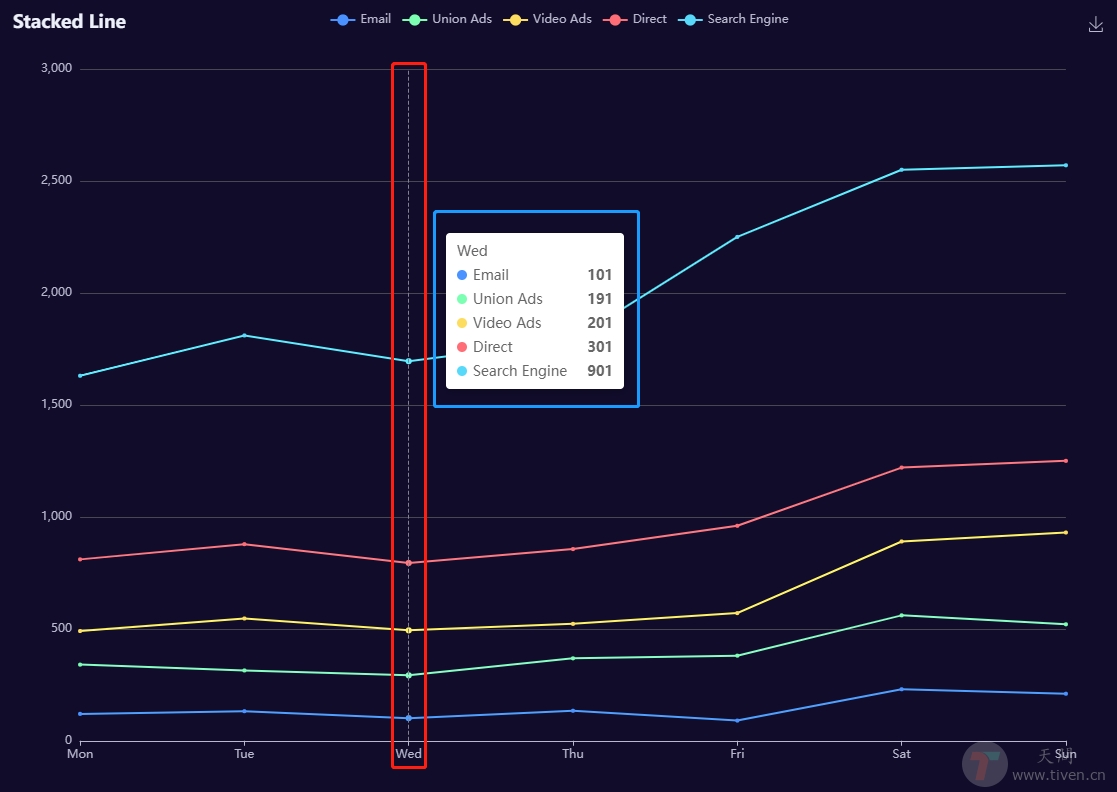
Echarts && tooltip、axisPointer

一、组件解释说明

  1. axisPointer 是坐标轴指示器,上图 红框 中展示部分。
  2. tooltip 是提示框组件,上图 蓝框 中展示部分。

二、ECharts API

  1. echartsInstance.dispatchAction: 触发图表行为,例如图例开关 legendToggleSelect, 数据区域缩放 dataZoom,显示提示框 showTip 等等
  2. action.tooltip: 提示框组件相关的行为。
    • showTip: 显示提示框。
    • hideTip: 隐藏提示框。
  3. action.axisPointer: 坐标轴指示器配置项相关的行为。
    • updateAxisPointer: 更新坐标轴指示器。

API使用说明:

// showTip 展示 tooltip dispatchAction({ type: 'showTip', // 系列的 index,在 tooltip 的 trigger 为 axis 的时候可选。 seriesIndex?: number, // 数据项的 index,如果不指定也可以通过 name 属性根据名称指定数据项 dataIndex?: number, // 可选,数据项名称,在有 dataIndex 的时候忽略 name?: string, // 本次显示 tooltip 的位置。只在本次 action 中生效。 // 缺省则使用 option 中定义的 tooltip 位置。 position: number[] | string | Function, }); // hideTip 隐藏 tooltip dispatchAction({ type: 'hideTip' });

三、使用示例

Vue 项目中使用:

export default { data() { return { lastIndex: 0, } }, methods: { // 主动触发展示 tooltip 提示框 showTip() { this.chartInstance.dispatchAction({ type: 'showTip', seriesIndex: 0, dataIndex: this.lastIndex, }); }, // 重新渲染后隐藏 tooltip 和 axisPointer hide() { // 隐藏 tooltip this.chartInstance.dispatchAction({ type: 'hideTip' }); // 隐藏 axisPointer this.chartInstance.dispatchAction({ type: 'updateAxisPointer', currTrigger: 'leave', }); }, } }

欢迎访问:天问博客